![ARP logo.png]](https://support.arproactive.com/hs-fs/hubfs/ARP%20logo.png?height=40&name=ARP%20logo.png)
Below is a list of communications we send out to patients, either by paper or email (depending on their delivery prefence.)
Single Invoice
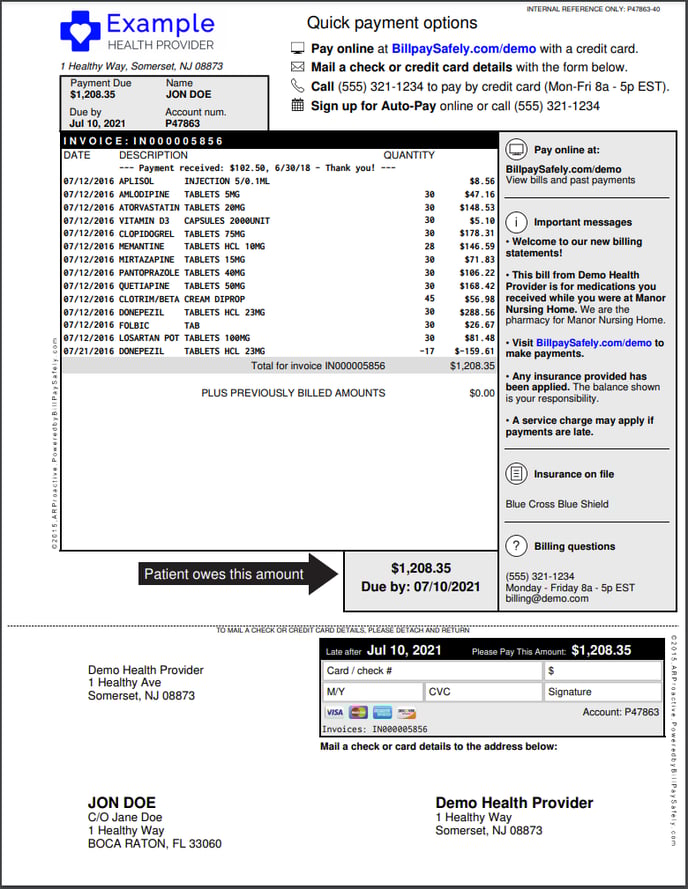
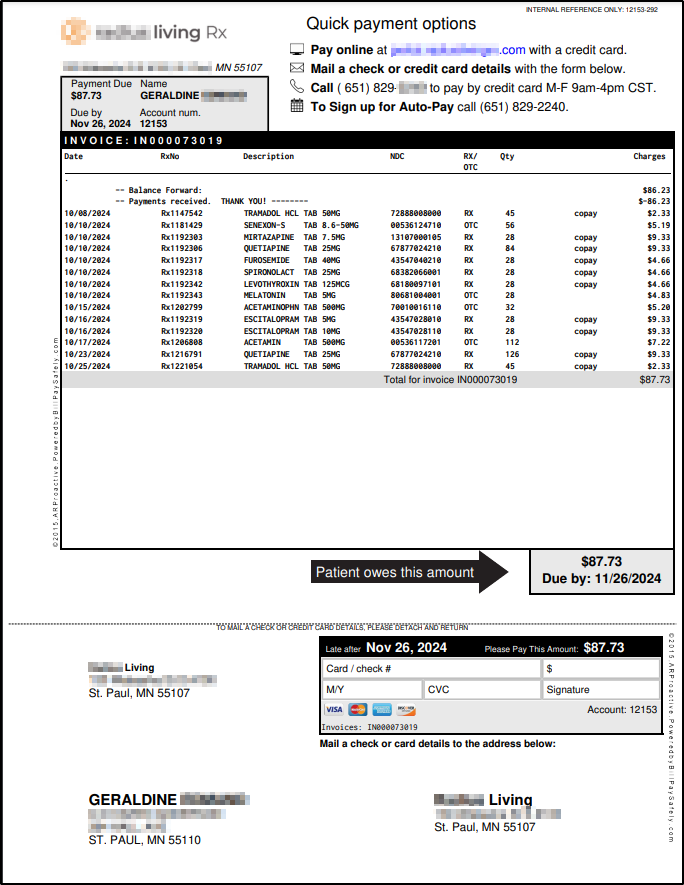
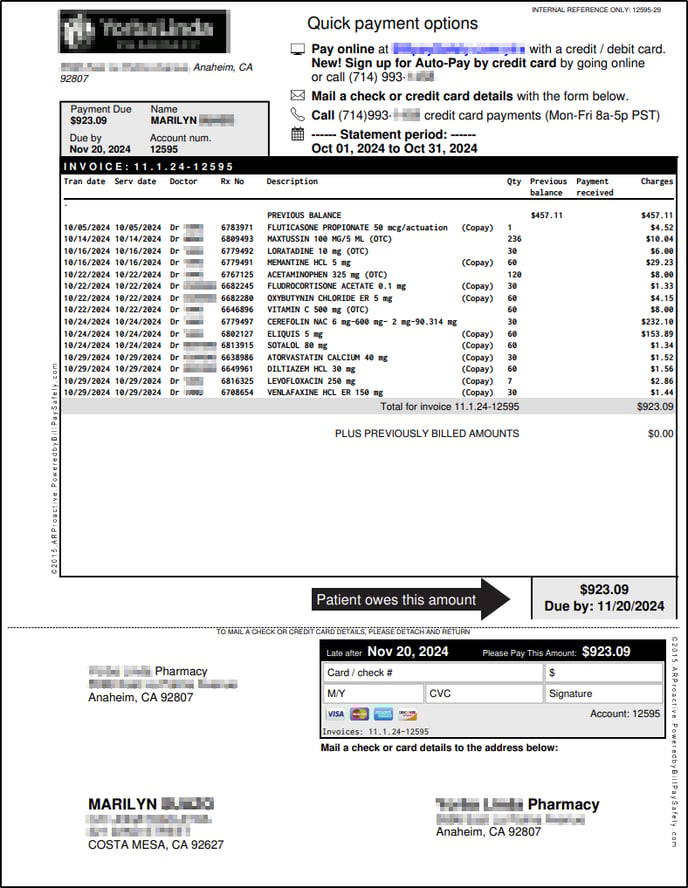
There are 2 layout options below. Option 1 has a grey side bar with "Important messages". Option 2 does not have the grey side bar, and allows the line items to be wider and full more horizontal space on the page.
You can customize the following sections
- the logo
- "Quick payment option" at the top
- the grey side bar on the right (in Option 1)
- the line items in the middle (where it says DESCRIPTION you can control what fields appear there, like Rx number, NDC number etc. where available)
Layout option #1
Layout option #2 - for pharmacies using for FrameworkLTC software
Layout option #2 - for pharmacies using for SuiteRx software
Contact support@arproactive.com to request customizations. The best way is to take an existing patient invoice, and mark it up (even with a paper and pen) with the changes you want.
Single Invoice - by email
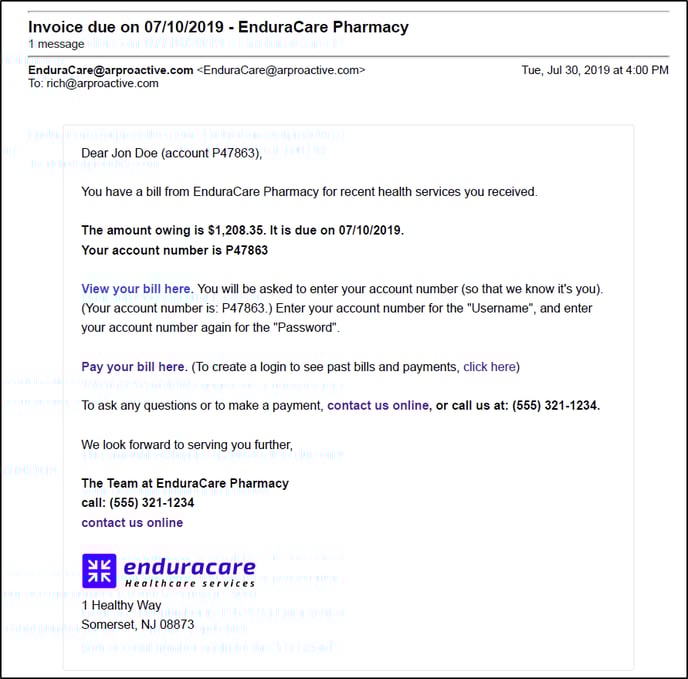
- If a patient is set to receive invoices by email, they will received the above email.
- The actual PDF of the invoice will be available in a link View your bill here.
Autopay invoice
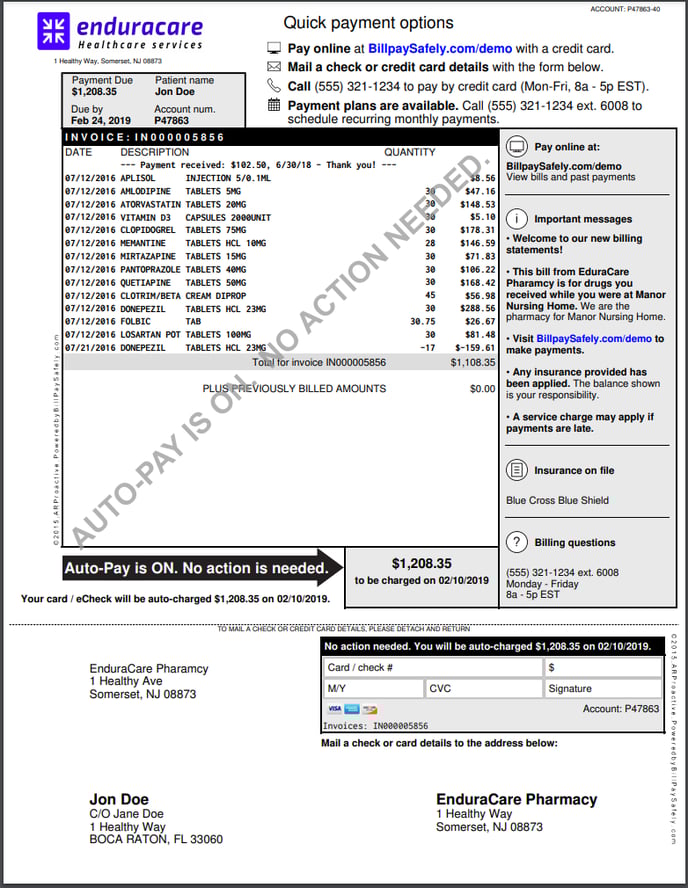
The Autopay invoice is sent to patients who have Autopay turned on inside AR Proactive.
- The black arrow indicates that "Autopay is on. No action is needed." This is to avoid patients double-paying.
Reminder Letters
Reminder letters are sent (by paper or/and email depending on the patient's delivery preference) after the initial invoice.
The Letter heading and body text are customizable by contacting support@arproactive.com.
Letter 1
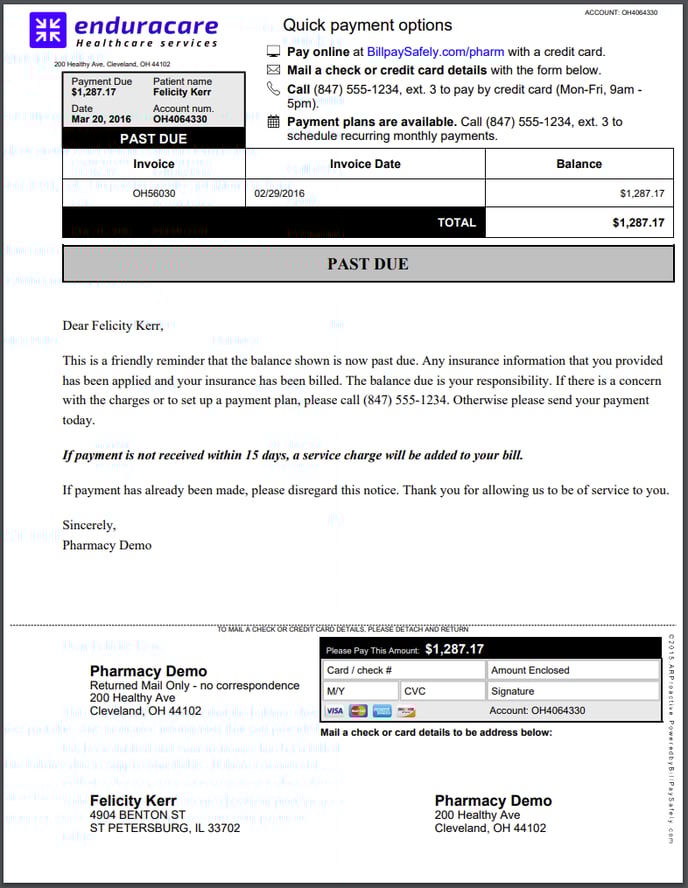
Letter 2
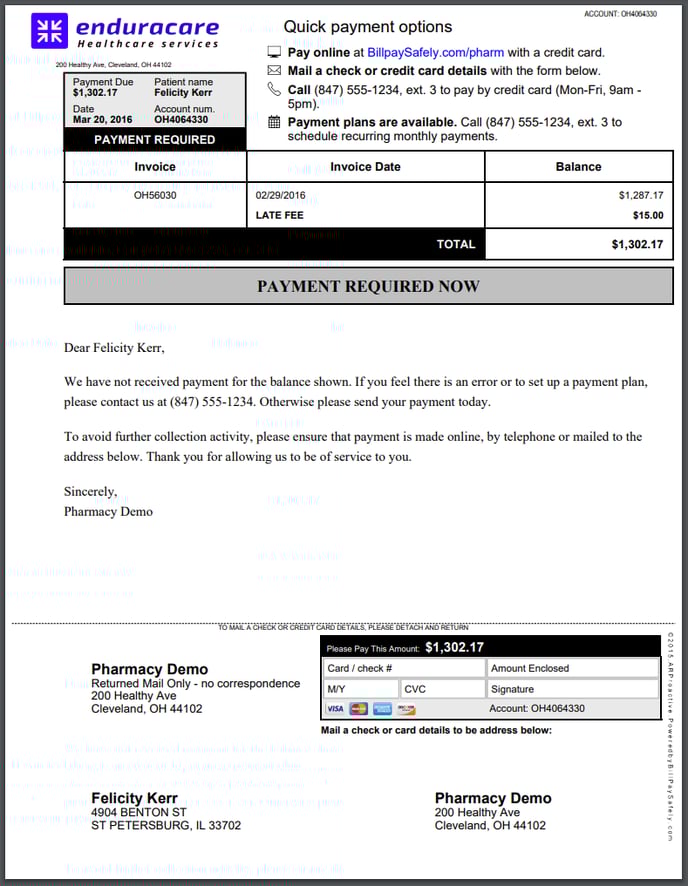
- On Letter 2 onwards, the Late Fee appears. In the above example, it's set to the default of $15.00. You can customize the late fee amount, or turn it off, if you get too much push back from patients.
- The same late fee continues to appear on Letter 3 and Letter 4.
- Your billing staff should offer to waive the late fee, if the patient can settle the account.
Letter 3
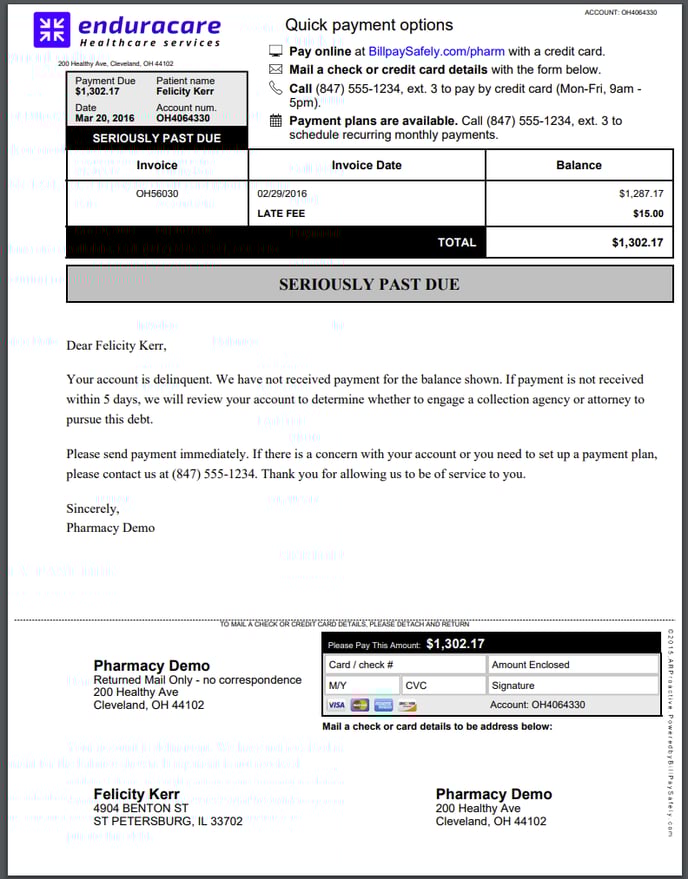
Letter 4
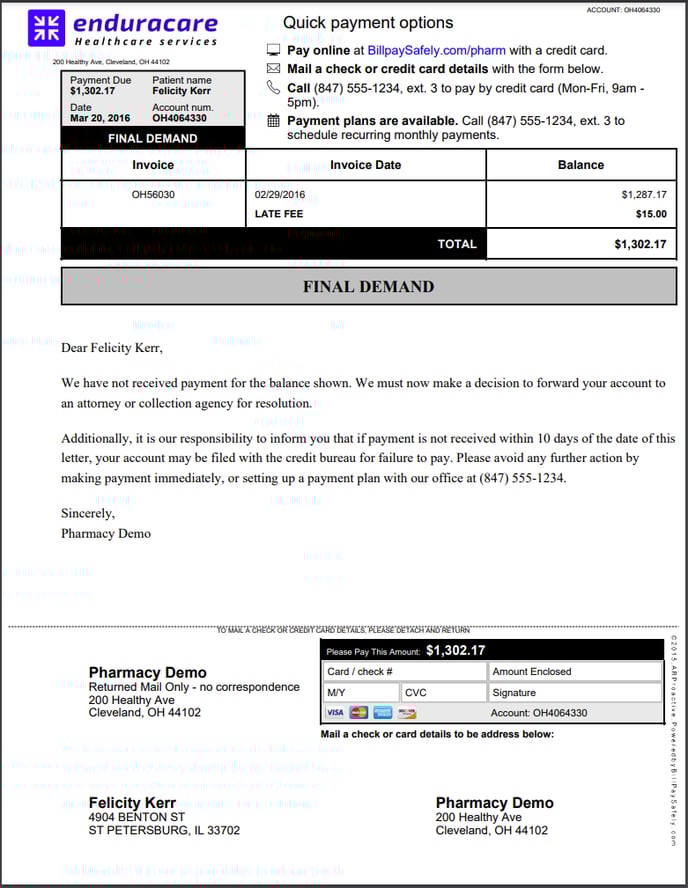
Payment Plan Letters
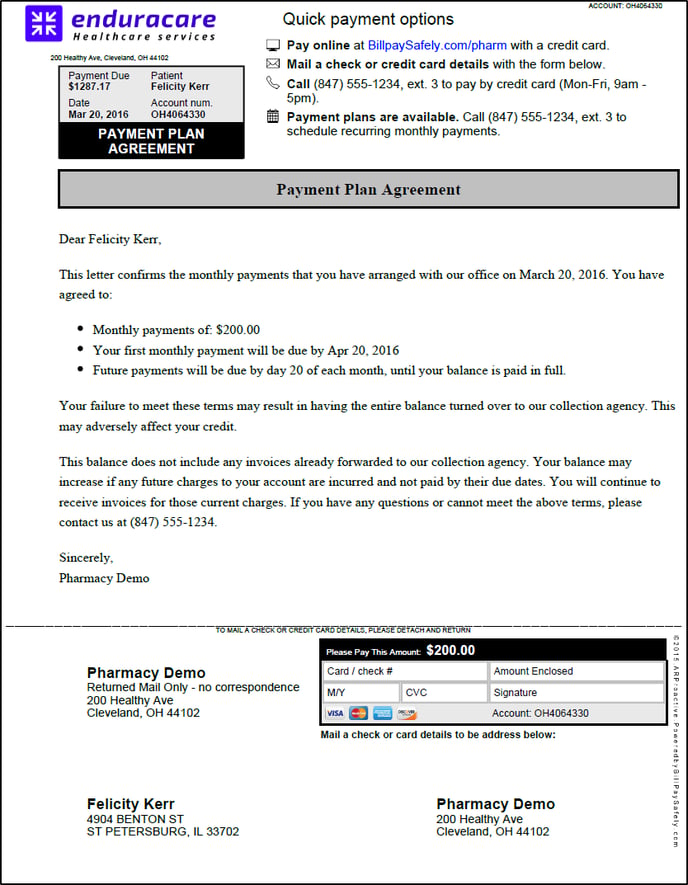
- When you create a payment plan for a patient (to pay off a large balance over a number of months), the patient will receive an Agreement Letter.
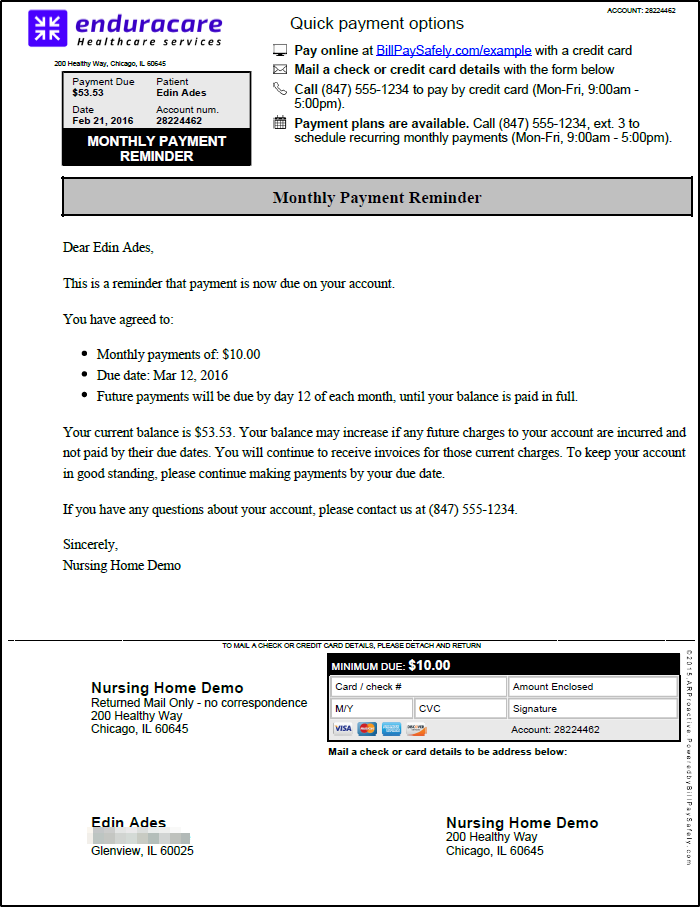
- The patient will also get a reminder each month to pay the agreed, fixed amount per month.
- The patient pays their monthly amount either online, or mail a check, or call your office.
- (While on a Payment Plan, do not turn on Auto-pay, because this will automatically charge the patient for their full amount due, not their monthly amount.)
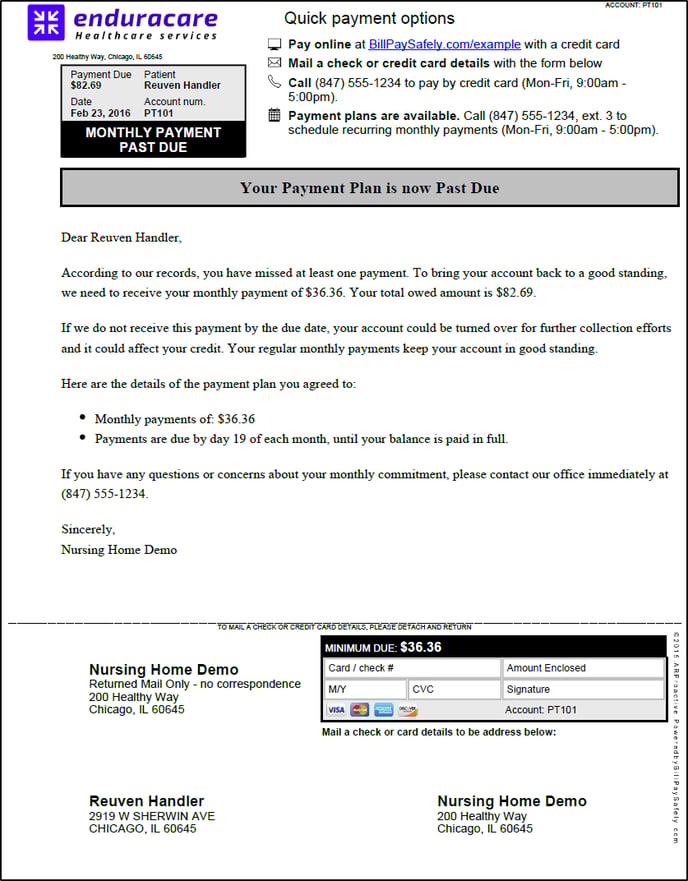
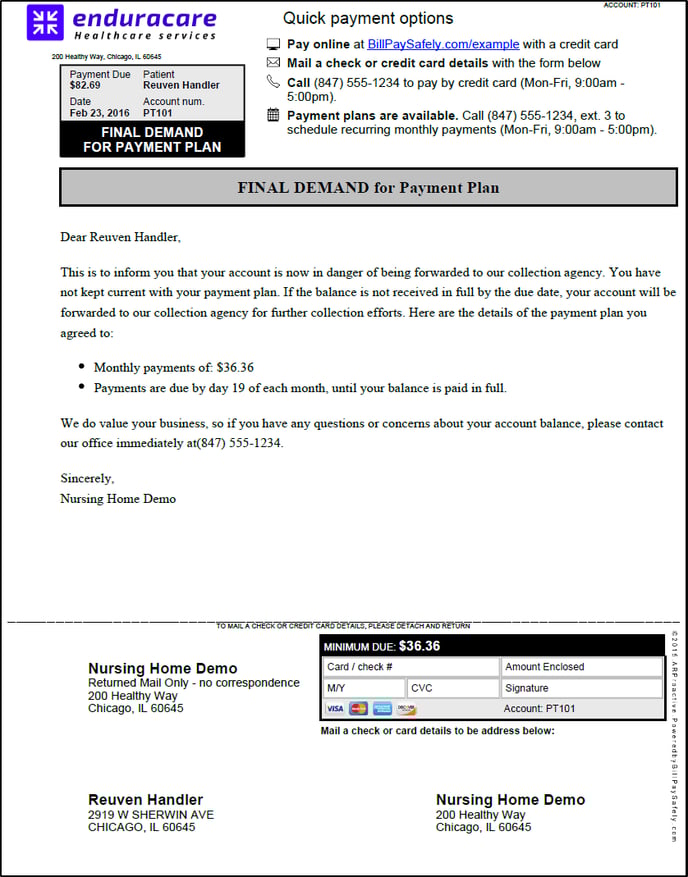
- If the patient falls behind, they will receive a Past Due and then a Final Demand reminder over 2 months.
- On the 3rd month of non-payment, the balance will be changed to "Collections pending" status. You will be notified by email. You can either re-start the payment plan, contact the patient, or send them to human collections.
- To cancel a payment plan:
- go to Accounts > Jon Doe click "Change status" select "Cancel". This will stop their payment plan reminders.
- The next time you upload a patient statement file to us, the patient will automatically be sent an invoice.
Agreement Letter (for a Payment Plan)
Monthly Reminder (for a Payment Plan)
Past Due (for a Payment Plan)
Final Demand (for a Payment Plan)
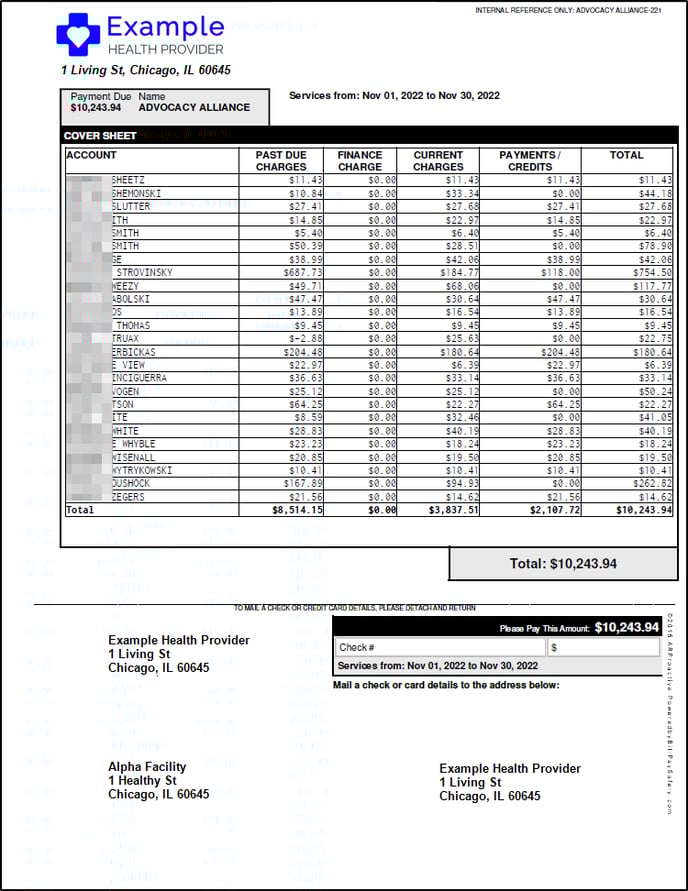
Agency Billing (aka Facility Billing) Cover Sheet and invoices
- We can send multiple patient bills in one envelope (or one email) to an Agency (or Facility).
- This is known as Agency Billing (aka Facility Billing)
- The Agency bill consists of a cover sheet (see below), followed by all the individual patient bills, on separate pages.
- The patients are sorted A to Z on the cover sheet.
- All the columns below are optional.
Collections pending status
- At the end of the workflow after Letter 4, if there's still a balance, the balance enters "Collections pending" status.
- You then have the option to send the account to our integrated collection agency (human collections). You will receive an email listing all balances in "Collections pending" status, and instructions how to click them through to collections. More here: Get Started with Our Collection Agency and Which Accounts can I Send to Collections?
Special letter inserts
You are able to insert one-time letters to patients. Here are two examples:
- Informational Letters. Send notices of Medicare, Medicaid or insurance changes to patients. To send a reminder to get flu shots, for example
- Welcome Letter for First-Time Mailing. If this is your first time mailing, you can include this Welcome Letter (download editable Word doc) inside each envelope, introducing them to your new invoice format.
- Autopay signup invitation. Use this Autopay Welcome letter (download editable Word doc)
To mail out the special letter insert:
-
- Create a PDF file of the letter you want to mail. Or Download and Edit the above Word doc(s) links. Save it as PDF
- Email the the Support team at support@arproactive.com (or call 773.699.7989) with:
- The PDF file of the special letter insert.
- Tell them whether you want to send the letter:
- to all patients with their next invoice - the cost is $0.30/single-sided page ($0.60/double-side page)
- to some patients with their next invoice - the cost is $0.30/single-sided page ($0.60/double-side page)
- to all or some patients separately from their next invoice (i.e. in it's own envelope) - the cost is the same as sending a paper invoice. (Pricing page here.)