![ARP logo.png]](https://support.arproactive.com/hs-fs/hubfs/ARP%20logo.png?height=40&name=ARP%20logo.png)
|
Step 1. Complete MatrixCare's Authorization Form Step 2. Submit the Completed Authorization Form |
-
 Here’s how to connect MatrixCare 360 to AR Proactive (ARP). Note: this integration is for the MatrixCare 360 product only.
 - If you get stuck MatrixCare 360 support is available at authorization.form@matrixcare.com, or (800) 869-1323, or support.matrixcare.com
Step 1. Complete MatrixCare's Authorization Form
- Download this Authorization Form. The form requests MatrixCare to share some of your data to AR Proactive via a secure channel. You are authorizing MatrixCare to share your information with us.
- Download this FAQ document if you have questions how to complete the form.
- Complete the form
Step 2. Submit the Completed Authorization Form
- Email the completed form to us: workflows@arproactive.com.
- We will submit the form to MatrixCare. Integration takes 3-4 weeks, depending on MatrixCare's timeline.
How We Import Your AR Aging Data
-
We import the AR Aging report from MatrixCare every 1 hour, and display it in AR Proactive.
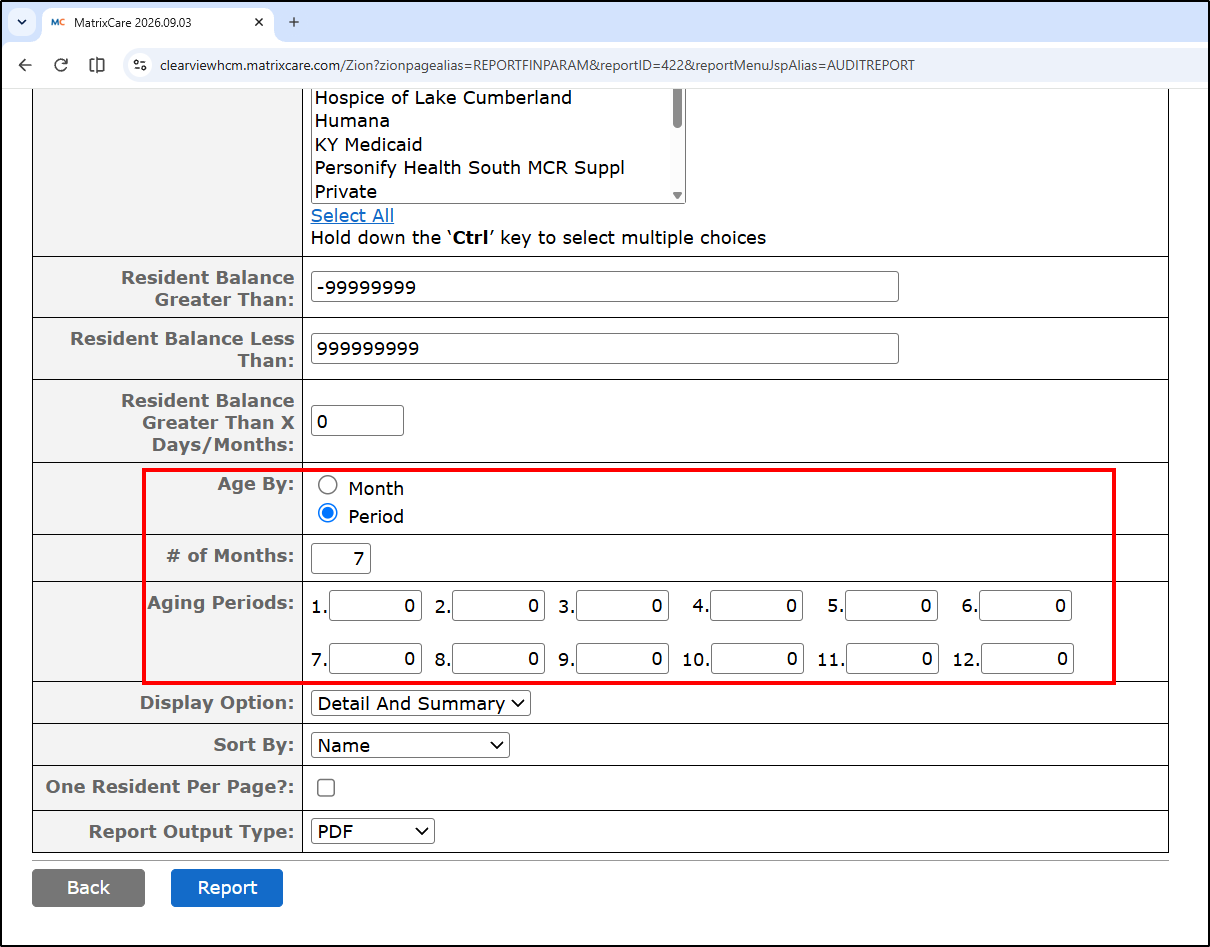
- Below are the report parameters we use for the MatrixCare AR Aging report. If you want to check that AR Proactive contains accurate AR data, run the MatrixCare AR Aging report with the parameters below

MatrixCare Options for "Age By"
- Note: The default is to Age By: Month.
- If you age a particular Facility by "Period", then when you run the MatrixCare AR Aging report, you must select "Age By: Period", select "# of Months" (typically 7) and enter 0, 30, 60, 90, 120, 150, 180 (up to the "# of Months").
- To check how a Facility is set up in MatrixCare:
- Go to MatrixCare > Facility > A/R Setup
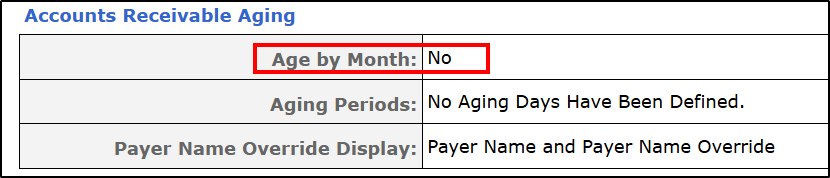
- Scroll down (or Ctrl-F) to Accounts Receivable Aging
- It will either say "Age by Month: Yes" (this is the default) or "Age by Month: Yes" (which means it ages by Period). See snips: