![ARP logo.png]](https://support.arproactive.com/hs-fs/hubfs/ARP%20logo.png?height=40&name=ARP%20logo.png)
1. About this report
- The AR Report shows the current Accounts Receivable (AR) balance across facilities, payer types, and payers. It is intended to provide visibility into where AR is concentrated and help users monitor outstanding receivables within.
- The report includes a total AR summary, AR by payer type, AR by payer, and filters for Facility and Payer Type.
- This report is intended for AR monitoring and analysis. It is not intended to be used as a one-to-one reconciliation report against other accounting or transactional views.
- It is available for companies who use PointClickCare.com (PCC), and have DataRelay enabled. It is updated every 4 hours.
2. Compare AR Summary Card against Percent Collected Report
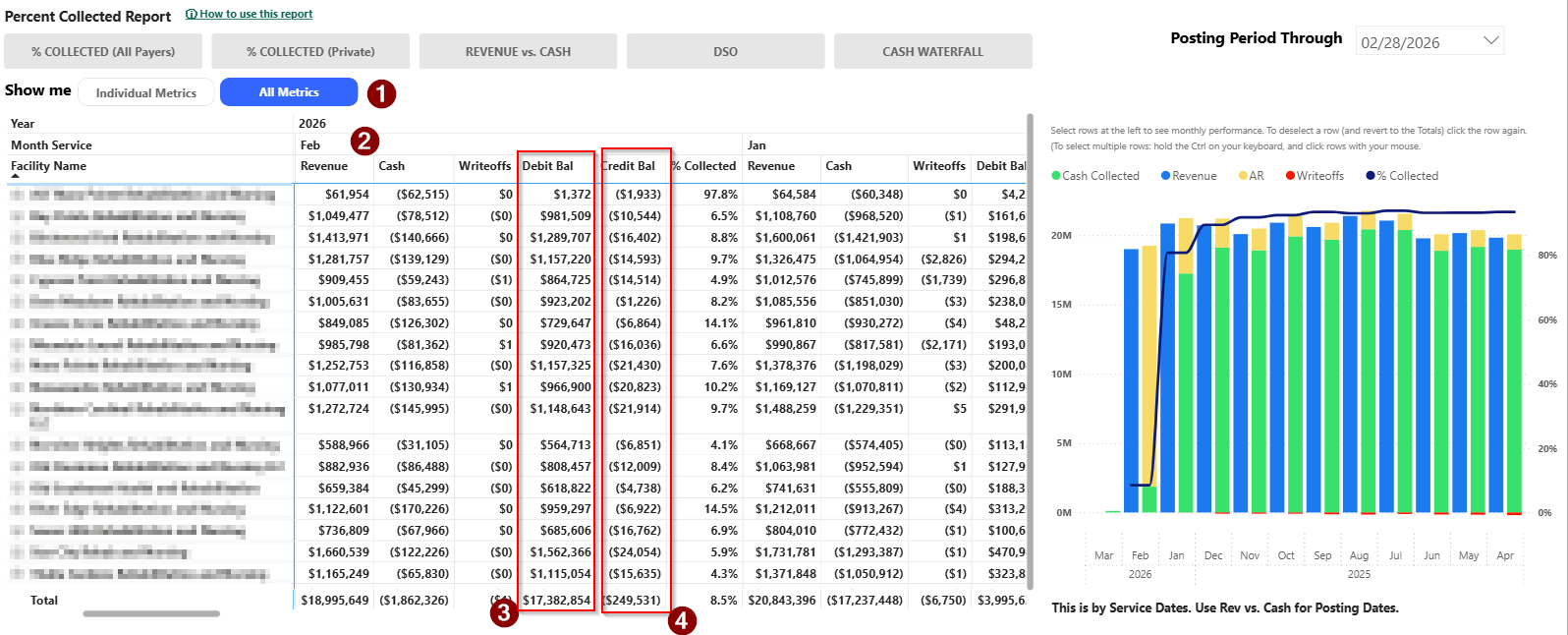
To confirm that the AR Summary Card is accurate, compare it with Percent Collected Report. Here is how:
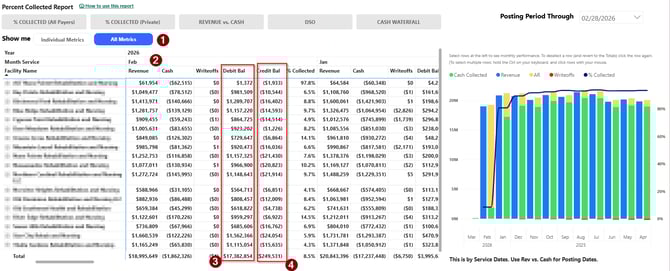
- In the Percentage Collected Report, focus on a month
- Go to All Metrics sections
- Focus on a specific month
- Take note about two amounts
- This value is Credit Balance
- This value is Debit Balance
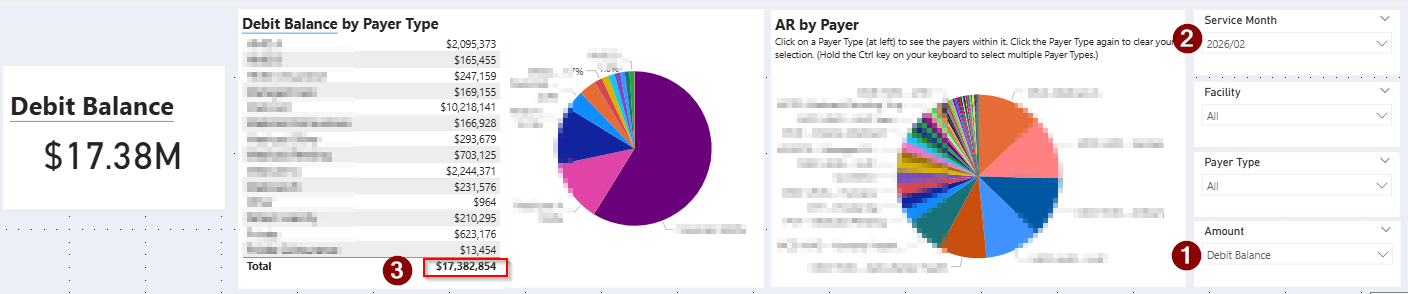
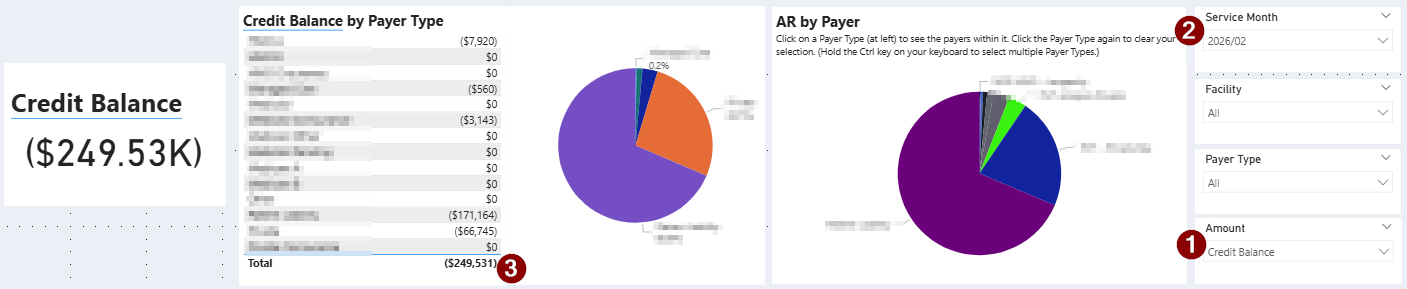
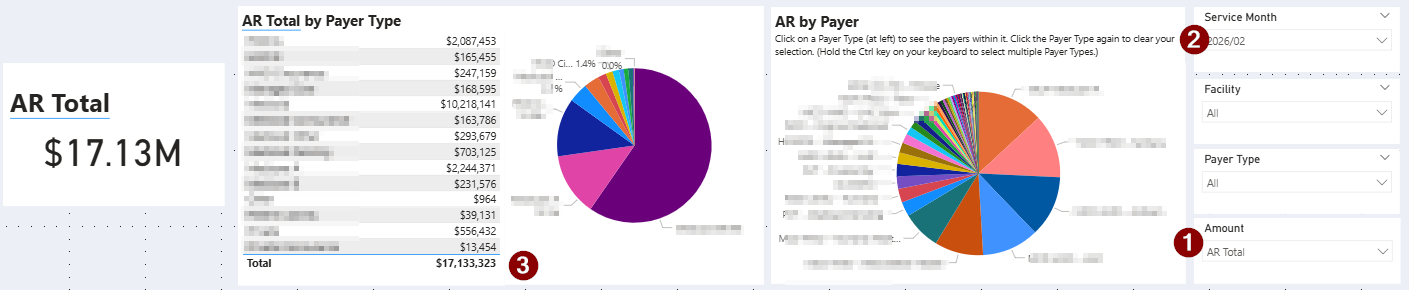
- In the AR Summary Card, compare amounts
-
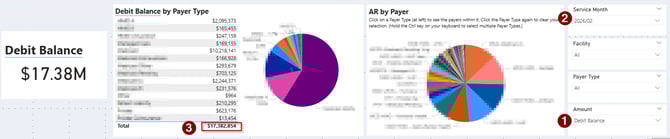
- To compare Debit Balance
- Select Amount Debit Balance
- Pick the focus month on Service Month filter
- Compare this value with PCR
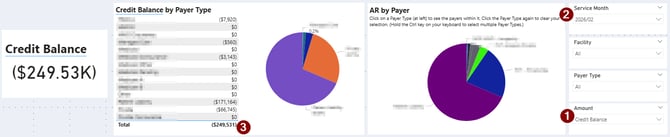
- To compare Credit Balance
- Select Amount Credit Balance
- Pick the focus month on Service Month filter
- Compare this value with PCR
- To compare AR Total
- Select Amount AR Total
- Pick the focus month on Service Month filter
- Compare this value with PCR by performing the following subtraction:
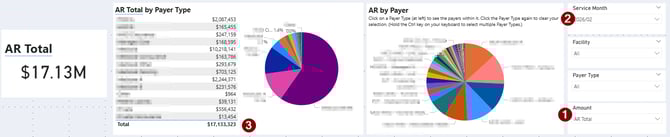
- From PCR: Debit Balance - Credit Balance
- To compare Debit Balance
-